Toyota Corolla Cross: System Diagram
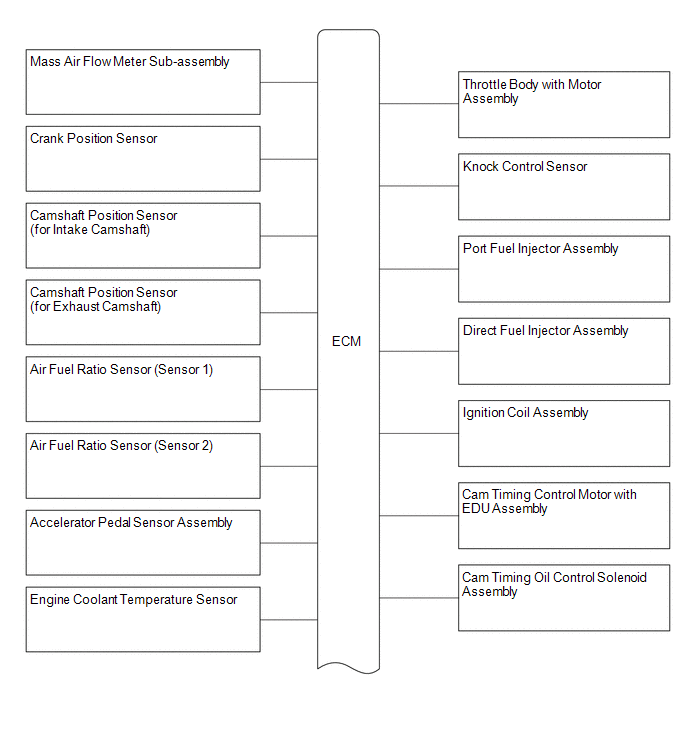
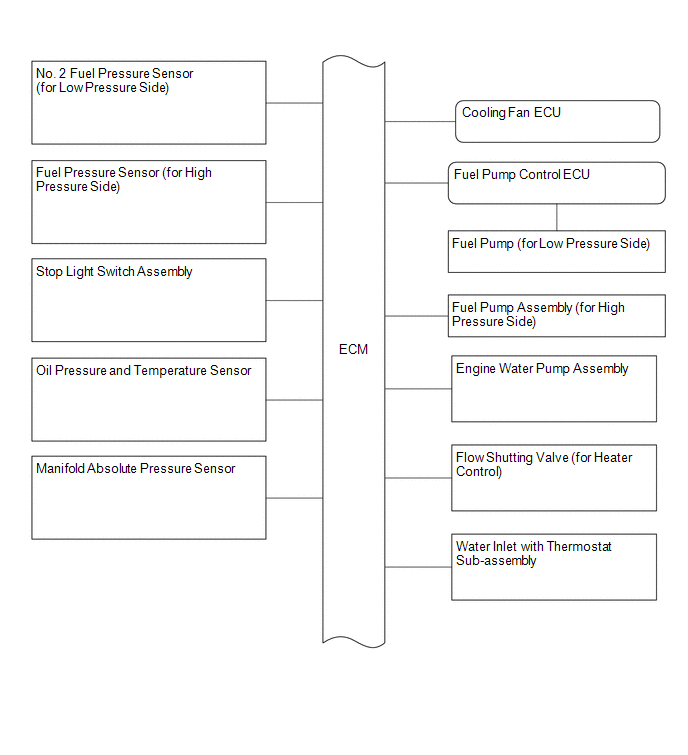
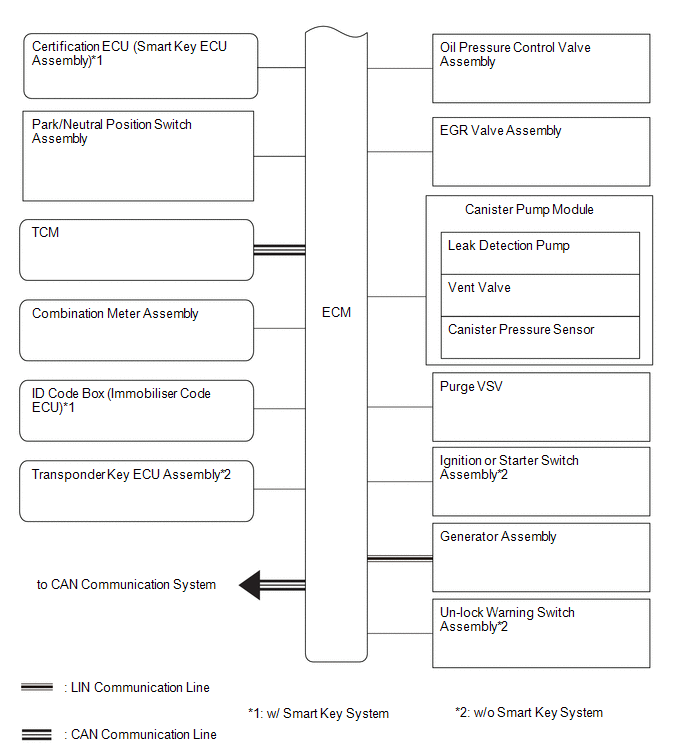
SYSTEM DIAGRAM
READ NEXT:
CAUTION / NOTICE / HINT HINT: *: Use the GTS. PROCEDURE
1.
VEHICLE BROUGHT TO WORKSHOP
NEXT
2.
CUSTOMER PROBLEM ANALYSIS
NEXT
CHECK FOR INTERMITTENT PROBLEMS HINT: Inspect the vehicle ECM using check mode. Intermittent problems are easier to detect with the GTS when the ECM is in check mode. In check mode, the ECM uses 1 tri
CAUTION / NOTICE / HINT When a malfunction is not confirmed by the DTC check, troubleshooting should be carried out for all circuits considered to be possible causes of the problem. In many cases, by
SEE MORE:
DESCRIPTION
The ABS solenoid relay and solenoid valves are built into the
brake actuator assembly.
The rear solenoid valve LH controls the brake fluid pressure
of the rear wheel cylinder LH of the vehicle.
When this DTC is stored, the fail-safe function operates and
the ABS solenoid relay i
DTC SUMMARY MALFUNCTION DESCRIPTION The hybrid vehicle control ECU detects a stuck closed malfunction of a system main relay on the HV battery positive (+) terminal side.
The cause of this malfunction may be one of the following: Inverter voltage sensor (VH) internal circuit malfunction
Vo

 How To Proceed With Troubleshooting
 Left Rear Wheel ABS Hold Solenoid Control Circuit Short to Battery (C12D112,...,C12DC49)
