Toyota Corolla Cross: System Diagram
SYSTEM DIAGRAM
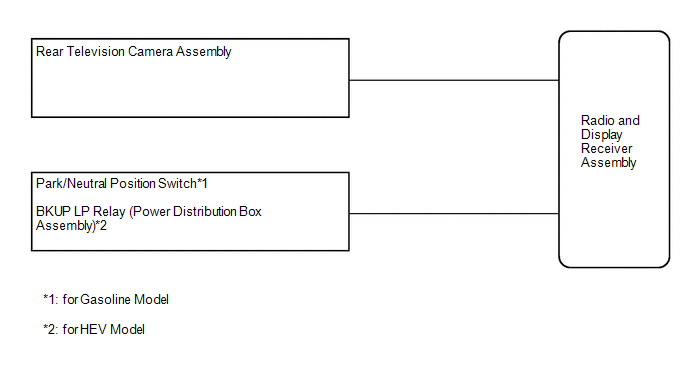
READ NEXT:
CAUTION / NOTICE / HINT
HINT:
Use the following procedure to troubleshoot the rear view monitor system.
*: Use the GTS.
PROCEDURE
1.
VEHICLE BROUGHT TO WORKSHOP
PROBLEM SYMPTOMS TABLE
HINT:
Use the table below to help determine the cause of problem symptoms.
If multiple suspected areas are listed, the potential causes of the symptoms
are listed i
TERMINALS OF ECU
CHECK RADIO AND DISPLAY RECEIVER ASSEMBLY
(a) Disconnect the I55 and I253 radio and display receiver assembly
connectors.
(b) Measure the voltage and resistance according to th
SEE MORE:
INSPECTION
PROCEDURE
1. INSPECT TIE ROD END SUB-ASSEMBLY LH
(a) Secure the tie rod end sub-assembly LH in a vise between aluminum plates.
NOTICE:
Do not overtighten the vise.
(b) Install the nut to the stud bolt.
(c) Flip the ball joint back and forth 5 times.
(d) Using a torque w
CUSTOMIZE PARAMETERS CUSTOMIZE WIPER AND WASHER SYSTEM (w/ Rear Wiper System)
NOTICE:
When the customer requests a change in a function, first make sure that the function can be customized.
Be sure to make a note of the current settings before customizing.
When troubleshooting a function, fi

 How To Proceed With Troubleshooting
 Inspection
